
First: is it supported on this platform?
Some cases are not misconfiguration but a platform that does not expose the capability. Check the table before troubleshooting:
| Platform | Fill passwords | Save new ones | Passkeys |
|---|---|---|---|
| Android | ✅ | ✅ | ✅ Android 14+ |
| iOS | ✅ | ✅ iOS 26.2+ | ✅ iOS 17+ |
| macOS | ✅ Safari and native apps only | ❌ | ✅ macOS 14+ |
| Windows | ❌ use the extension in browsers | — | — |
| HarmonyOS Next | ❌ no system interface | ❌ | ❌ |
Two limits that are often mistaken for bugs:
- Non-Safari browsers on macOS do not use system autofill — Chrome and Edge need the browser extension.
- Windows and HarmonyOS have no system-wide autofill. The platform does not expose the interface; it is not a missing feature. On Windows, use the extension for web pages.
Check in this order
1. Is KeyMe Pass set as the default autofill service? (most common)
The large majority of "nothing happens at all" cases are this. In system settings, search for "autofill" and confirm the default service is KeyMe Pass.
Turning the switch on inside the app is not enough — without the system-level default, no suggestions appear in other apps.
2. The background pop-up permission (common on Chinese Android ROMs)
Symptom: tapping to fill does nothing at all.
This permission is usually off by default on these systems and buried in settings. KeyMe Pass has a direct link to it under My → Autofill.
If that link is missing, or you would rather find it yourself: open system settings and search the top search box for the Chinese term 后台弹窗 (background pop-up); 后台弹出 and 后台启动 work too.
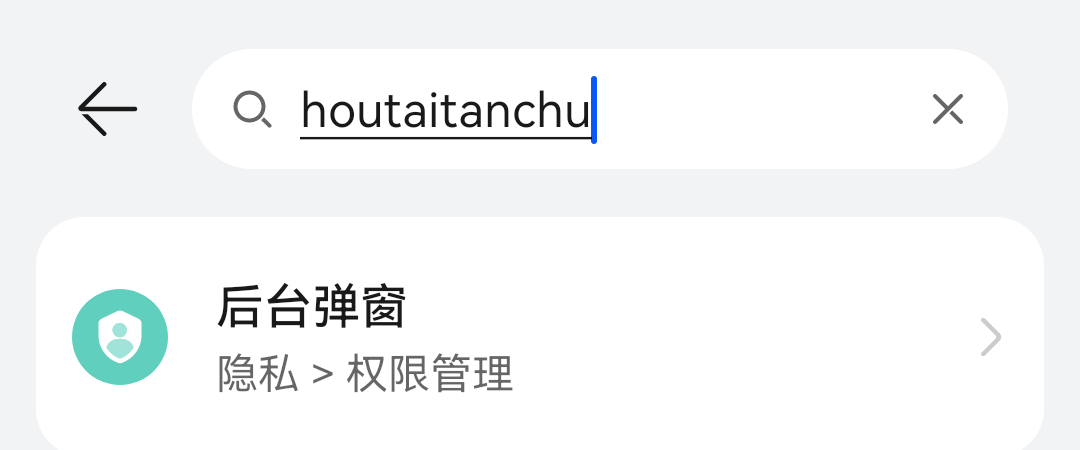
Open the result and switch KeyMe Pass on:
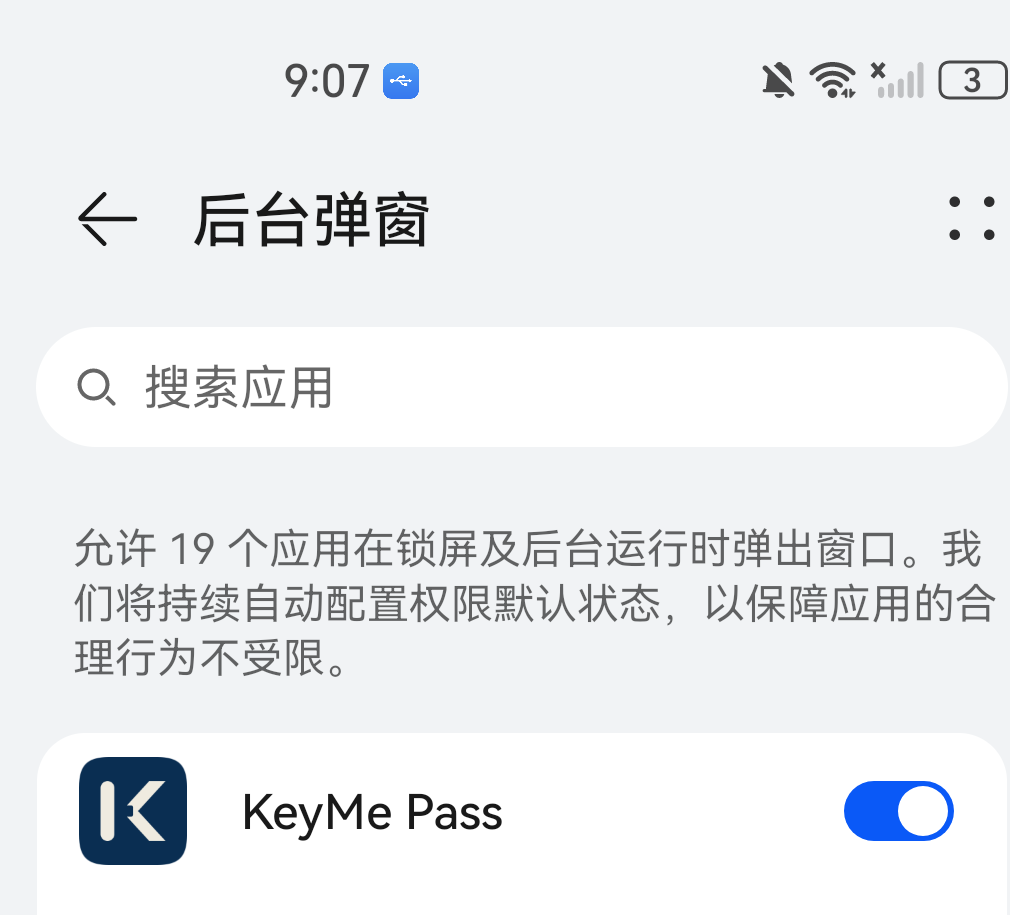
⚠️ Those screenshots are a Huawei example. Each Chinese Android system names and files this setting differently — some call it "background pop-up interface", others put it under app launch management. Searching is more reliable than following a fixed path.
3. Notification permission
Symptom: a changed password is not saved. The save prompt relies on notifications.
4. Is the URL on the entry correct?
Filling works by URL matching. If one site never offers suggestions, open the entry and check the URL field:
- Is the full domain there?
- For app sign-ins, is the entry linked to that application?
5. Is the vault locked?
No suggestions are offered while locked. Unlock and retry. If it locks too often, raise the auto-lock timeout in Security settings.
Specific symptoms
Filling works, but saving is never offered (Edge and similar)
This is deliberate, not a fault. Some browsers use the system compatibility mode, in which KeyMe Pass receives dots as placeholders rather than the real password. Offering to save would store a row of dots.
So in those browsers it fills but does not offer to save. Add new passwords manually, or use the browser extension, which is not subject to this.
Nothing appears in certain apps
Some apps do not implement the standard autofill interface. On Android you can enable accessibility-based detection as a fallback path for those.
Treat it as a fallback — get steps 1–3 right first.
Creating a passkey fails
- Android: needs Android 14 or later with Google Play services. Some Chinese ROMs expose no third-party credential provider and cannot use it.
- iOS: needs iOS 17 or later.
- HarmonyOS: not supported (no GMS, and no system interface).
Related
- Autofill guide (setup steps)
- Browser extension
- Passkey guide