
Free Password Manager with AutoFill, Passkeys & 2FA
We charge for exactly one thing: sync across your devices. Everything else is unlimited, free, and will never carry ads.
Local-firstEnd-to-end encryptedZero-knowledgeNo ads
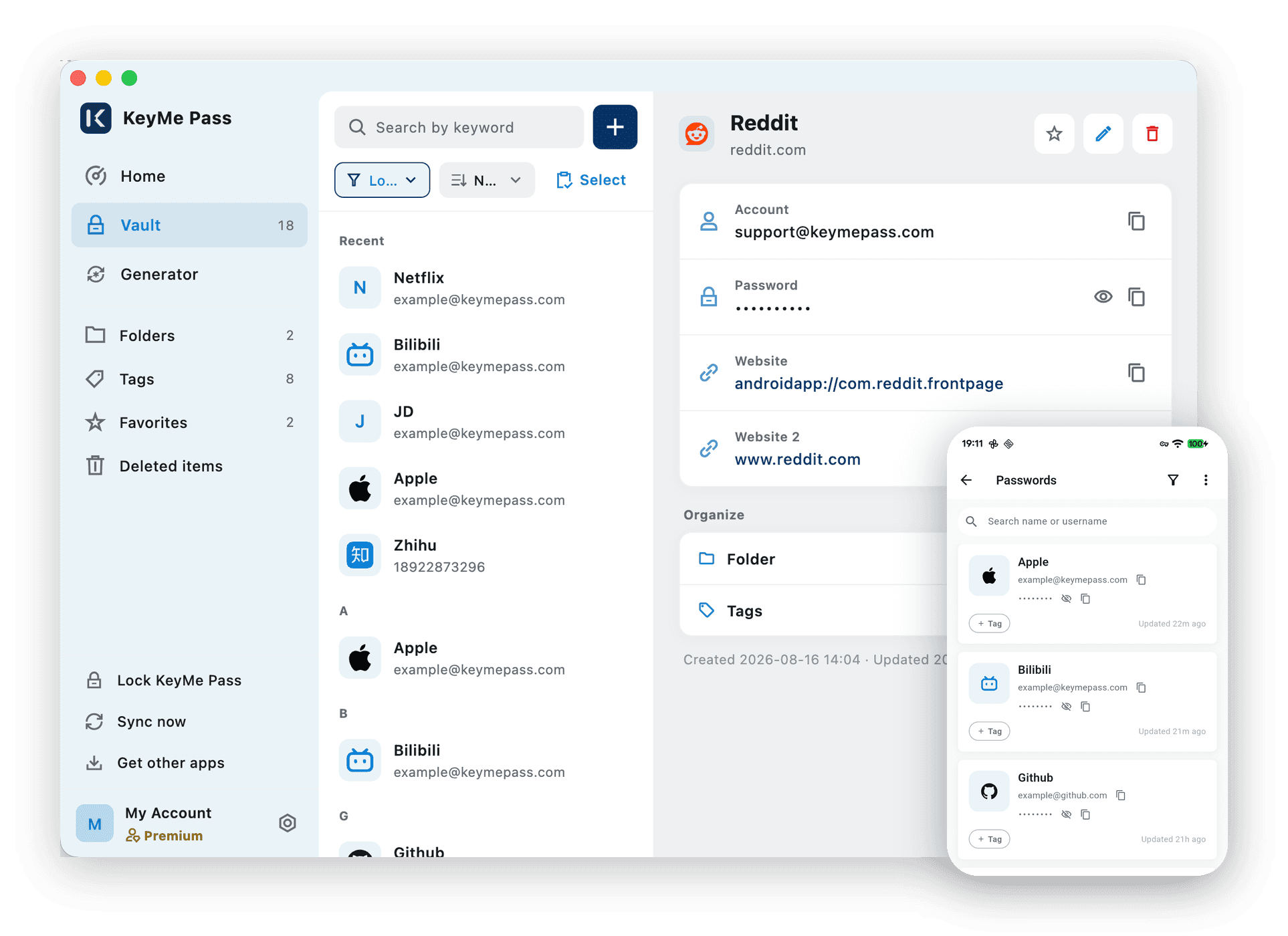
A complete password manager
Not a stripped-down trial — this is the full thing. No item caps, no time limit, no ads.
Password Manager
Unlimited passwords, IDs and secure notes. Strong password generator, weak and reused password detection, and a security health check.
AutoFill
Stop typing passwords. Fill and save credentials in apps and browsers on iOS, Android, macOS, Chrome and Edge.
Passkeys
Save and sign in with passkeys — the WebAuthn / FIDO2 standard. Phishing-resistant, and nothing to leak if a site is breached.
Built-in 2FA
Generate TOTP codes right next to the password they belong to. Works offline, no separate authenticator app needed.
Biometric Unlock
Unlock with Face ID or your fingerprint — no need to type the master password every time.
Encrypted Export
Take your data with you. Encrypted export and import, in JSON or CSV.
These are just the six most-used ones. See all features
The one thing we charge for
You choose where the data lives — our hosted space, or your own WebDAV server.
Multi-Device Sync
Your vault on every device. Data is encrypted before it leaves your device, so storage holds encrypted content only.
Hosted Cloud Space
Membership includes 1 GB of encrypted cloud space (20 MB per file); your own WebDAV has no size limit.
WebDAV Backup
Encrypted sync and backup with 1 GB of hosted storage, or point it at your own WebDAV server.
We can't see your data
Not a promise — an architectural fact. Encryption and decryption happen only on your device, and the key never passes through us.
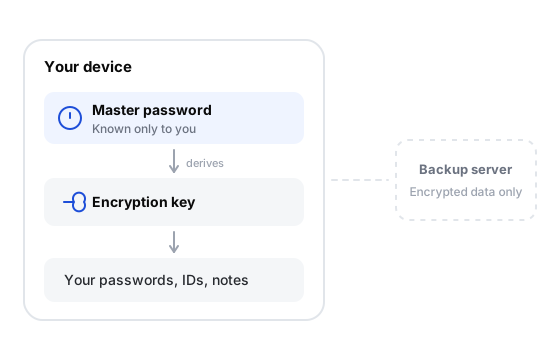
Your master password never leaves your device
It is never uploaded, never backed up, and we cannot reset it. It derives your key locally, and that key unlocks your data. Which also means: if you forget it, only your recovery key can get you back in.
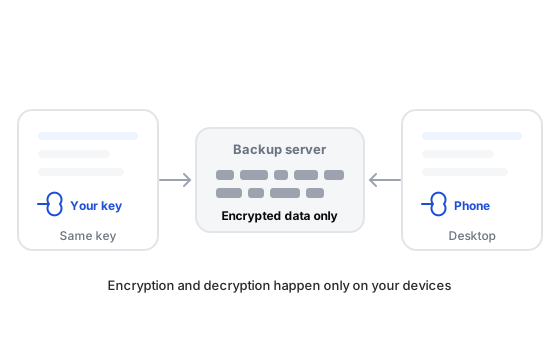
Sync across devices — still unreadable to us
Data is encrypted with AES-256 before it leaves your device, and only your devices can open it. Use it entirely offline, sync through our hosted space, or point it at your own WebDAV server — in all three, your devices are the only place the content can be read.
Three steps to get going
It works the moment you install it. Whether you turn on autofill or add the browser extension is up to you.
Install the app
Set it up on your phone or computer and pick a master password. No account required.
Get the appTurn on autofill
Set KeyMe Pass as your fill service in system settings, and stop typing passwords in apps and on the web.
How to set it upAdd the browser extension
Install the Chrome or Edge extension to fill and save credentials in web forms too.
How to set it up
On the devices you already have
Five platforms, one vault. Sync is the membership feature; everything else is complete and free on every platform.
Free and membership differ in exactly one place
Every line below is a fact, not a marketing claim. The free version is not a trial.
| Feature | Free | Membership |
|---|---|---|
| Unlimited passwords, documents and TOTP entries | ||
| AutoFill on iOS, Android, macOS and browsers | ||
| Save and sign in with passkeys | ||
| Built-in two-factor (TOTP) code generation | ||
| Password generator and security check | ||
| Local-first storage · end-to-end encryption | ||
| Biometric unlock (Face ID / fingerprint) | ||
| Encrypted export and backup files | ||
| Encrypted sync across your devices | ||
| Sync to your own WebDAV server — no size limit | ||
| Or sync to our hosted space, 1 GB included (20 MB per file) |
Membership unlocks one thing: sync across your devices. See pricingFeature details
Start free. No account needed.
Download and go. You only need an account when you want to sync across devices.