
Why 404 / 405 happens
Some WebDAV servers have non-standard protocol implementations, which can make file-existence checks unreliable in standard mode — showing up as 404 / 405 errors during sync.
The fix: enable "Enhanced mode"
To improve compatibility, we added an "Enhanced mode" under custom mode. When enabled:
- HEAD requests are disabled, using GET to check instead, avoiding abnormal status codes from some servers.
- Directories and large files (including attachments) are checked via PROPFIND.
- This strategy applies only to custom mode and does not affect hosted mode.
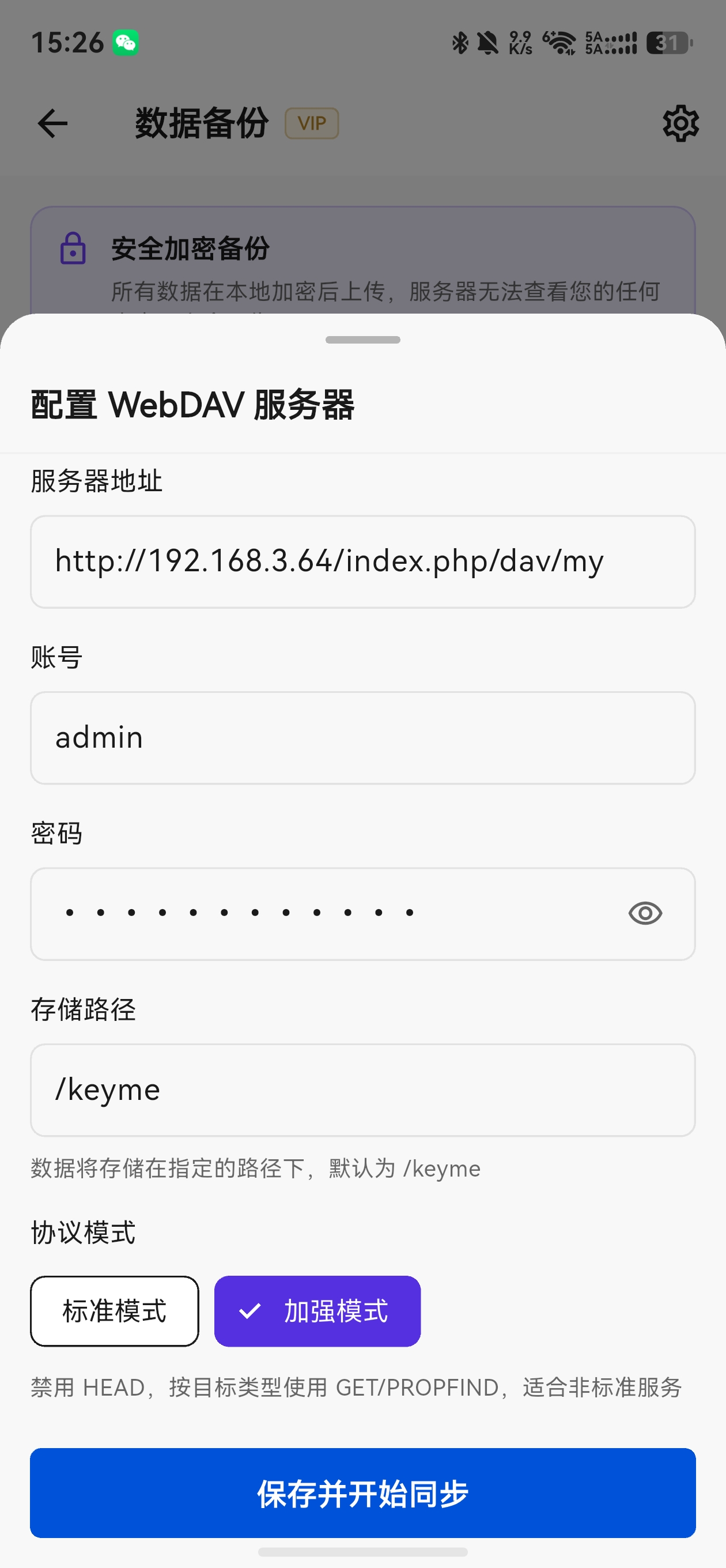
Enable "Enhanced mode" in custom WebDAV settings
If errors persist after enabling Enhanced mode, verify the WebDAV URL, credentials, and whether the server supports PROPFIND; check directory permissions for servers like Kodcloud.